Send only pages 2–3 from a three-page document
Keep the second report page and appendix while leaving out the first report page. Splitting creates a new PDF from the selected range. Its viewer page numbers start at 1 again, but the printed label REPORT PAGE 2 stays unchanged.
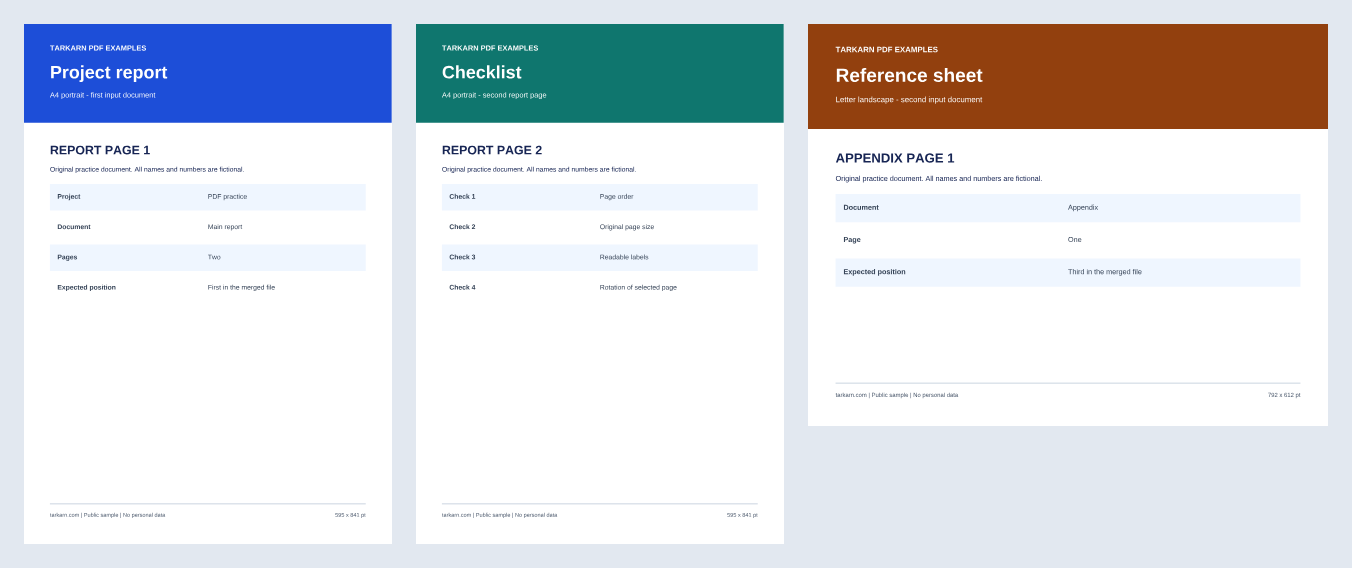
1. Prepare the three-page input
Download three-page input (PDF)
2. Enter the range 2-3
- Select merged.pdf and confirm it contains three pages.
- Choose the custom range split mode.
- Enter
2-3. Screen page numbers start at 1 and include the ending page 3. - Run the split and download the result for that range.
3. Check retained and omitted pages
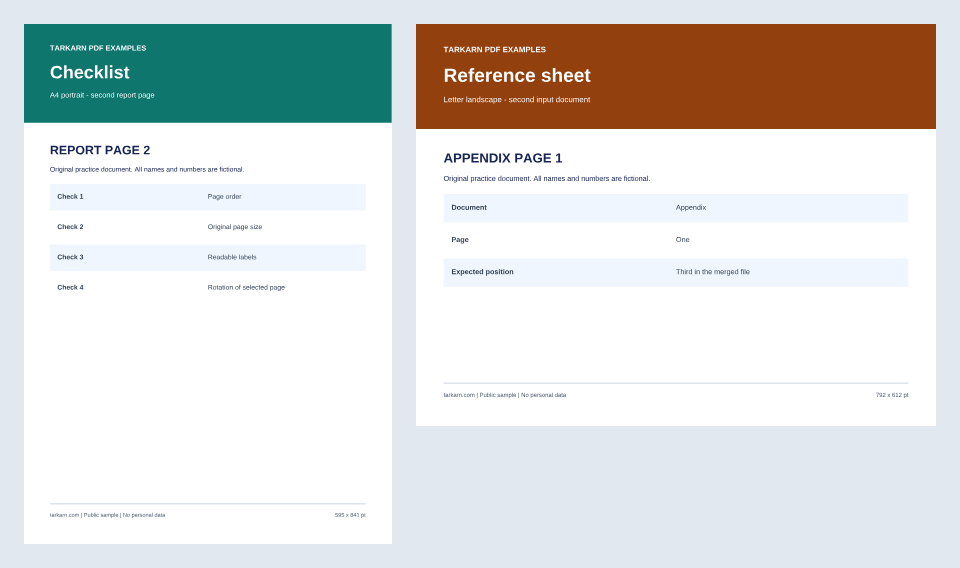
Download reference pages 2–3 result (PDF)
The result has two pages. Its first reads REPORT PAGE 2 and measures 595.28 × 841.89 pt in A4 portrait format. Its second reads APPENDIX PAGE 1 and measures 792 × 612 pt in Letter landscape format. If REPORT PAGE 1 remains, check the selected range again.
Avoid range entry mistakes
2-3 groups two consecutive pages into one result. On this screen, 2,3 creates separate range entries, so it does not mean the same output. Use the viewer's page numbers 1–3 rather than 0 or a number beyond the document length. Splitting does not redact the retained pages; check their sensitive content separately.
Before using your own document
This example uses unencrypted text PDFs. We have not verified preservation of encrypted or damaged files, digital signatures, form fields, bookmarks or accessibility tags in this case. Keep the original and check those features separately when they matter. This operation does not perform OCR or edit the body text of a scanned document.
Processing can fail depending on file size and available browser memory. If you see an error, open the original in a PDF viewer to check it rather than just renaming it. Practice with these non-personal samples, then check your real output in another PDF viewer before sharing it.
The previews below are renders of the supplied sample PDFs, not screenshots of the tool. They do not establish processing speed or file preservation across all browsers.