Distinguish display orientation from document coordinates
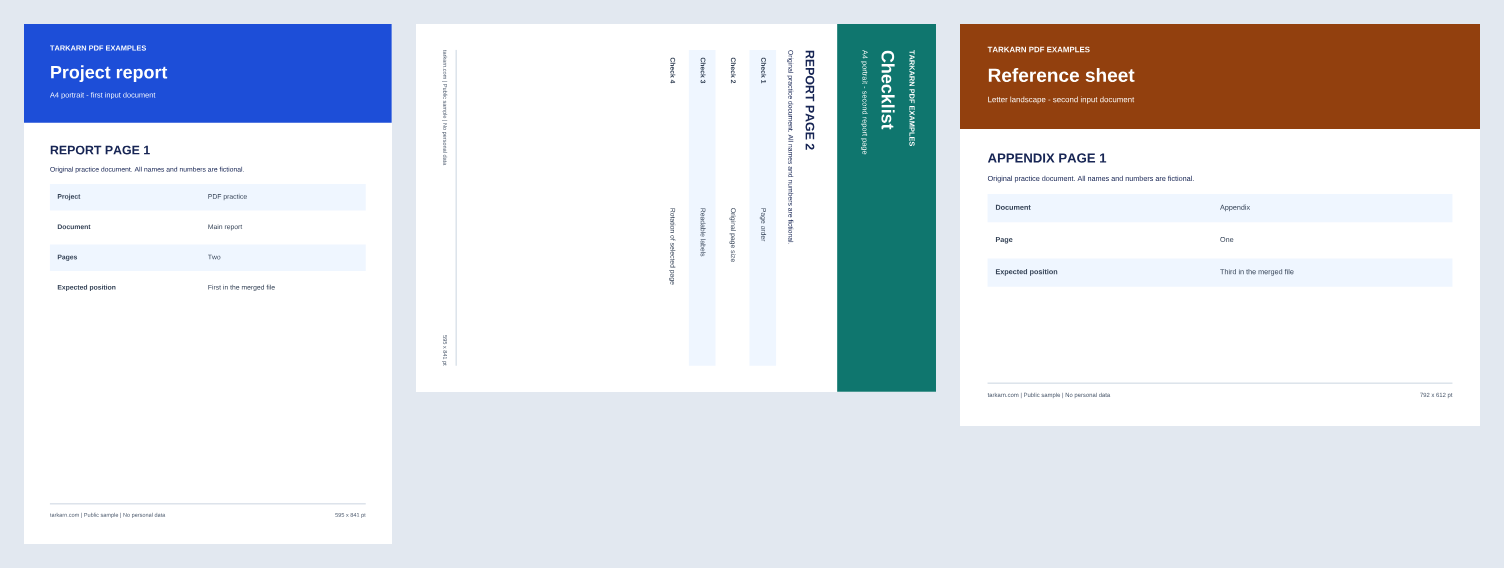
If a merged report prints in an unexpected orientation, inspect its page sizes and rotation first. Compare two versions of the same three-page document: two A4 portrait report pages followed by one Letter landscape appendix. The rotated version turns only page 2 by 90 degrees.
1. Prepare the comparison files
Download original sample (PDF) Download page 2 rotation sample (PDF)
Both files retain the labels REPORT PAGE 1, REPORT PAGE 2, APPENDIX PAGE 1 in that order. Check labels and page counts first.
2. Read the document with Page Inspect
- Select merged.pdf and confirm it contains three pages.
- Read each page's MediaBox, CropBox, raw rotation and display dimensions. These samples use UserUnit=1, so coordinate dimensions equal points (pt).
- Select rotated-page-2.pdf as a new file and compare page 2.
- Export JSON or CSV to compare the measurements. These exports contain inspection data; they do not create a modified PDF.
3. Expected measurements
On mobile, swipe the table horizontally to reach the last column. With a keyboard, press Tab to focus the table, then use the left and right arrow keys.
| File and page | MediaBox / CropBox (pt) | Raw rotation | Display size (pt) |
|---|---|---|---|
| merged.pdf pages 1–2 | x=0, y=0, 595.28 × 841.89 | 0° | 595.28 × 841.89 |
| Both files, page 3 | x=0, y=0, 792 × 612 | 0° | 792 × 612 |
| rotated-page-2.pdf page 1 | x=0, y=0, 595.28 × 841.89 | 0° | 595.28 × 841.89 |
| rotated-page-2.pdf page 2 | x=0, y=0, 595.28 × 841.89 | 90° | 841.89 × 595.28 |
MediaBox describes the page's document coordinate extent; CropBox describes the viewer's visible region. These samples have no separate crop, so the boxes match. Other PDFs can use different origins and sizes. Rotating page 2 changes display orientation without rewriting its MediaBox width and height. If another document uses UserUnit other than 1, do not interpret its raw coordinates as points. The inspector calculates display dimensions from the intersection of MediaBox and CropBox with rotation applied.
Interpret the inspection limits
Page counts, boxes and rotations do not establish correct printing or readable content. The inspector does not verify signatures, forms, OCR, accessibility tags, content accuracy or malicious-file safety. Encryption, damage or insufficient memory can prevent inspection. Keep the original and check a viewer and the actual printout too.
The linked manifest is the existing reproduction record for the supplied samples' counts, dimensions, rotations and file hashes. It does not establish support for every browser in the new inspection screen.